

AI Product Photography
No-Filter AI Product Photos: Lingerie, Swimwear & Mature Brands
If you sell lingerie or swimwear, you may have searched for “no-filter AI product photos” after an image tool refused an ordinary catalog shot. Before hunting for an unfiltered model, check what you actually need; for most shops it’s their own garment shown accurately. Blurbly makes flat-lay, white-background and catalog-style images on adult models for these categories, and it doesn’t make nude or sexualised images. This guide is about getting the first three right.
Updated
Model details and live prices →
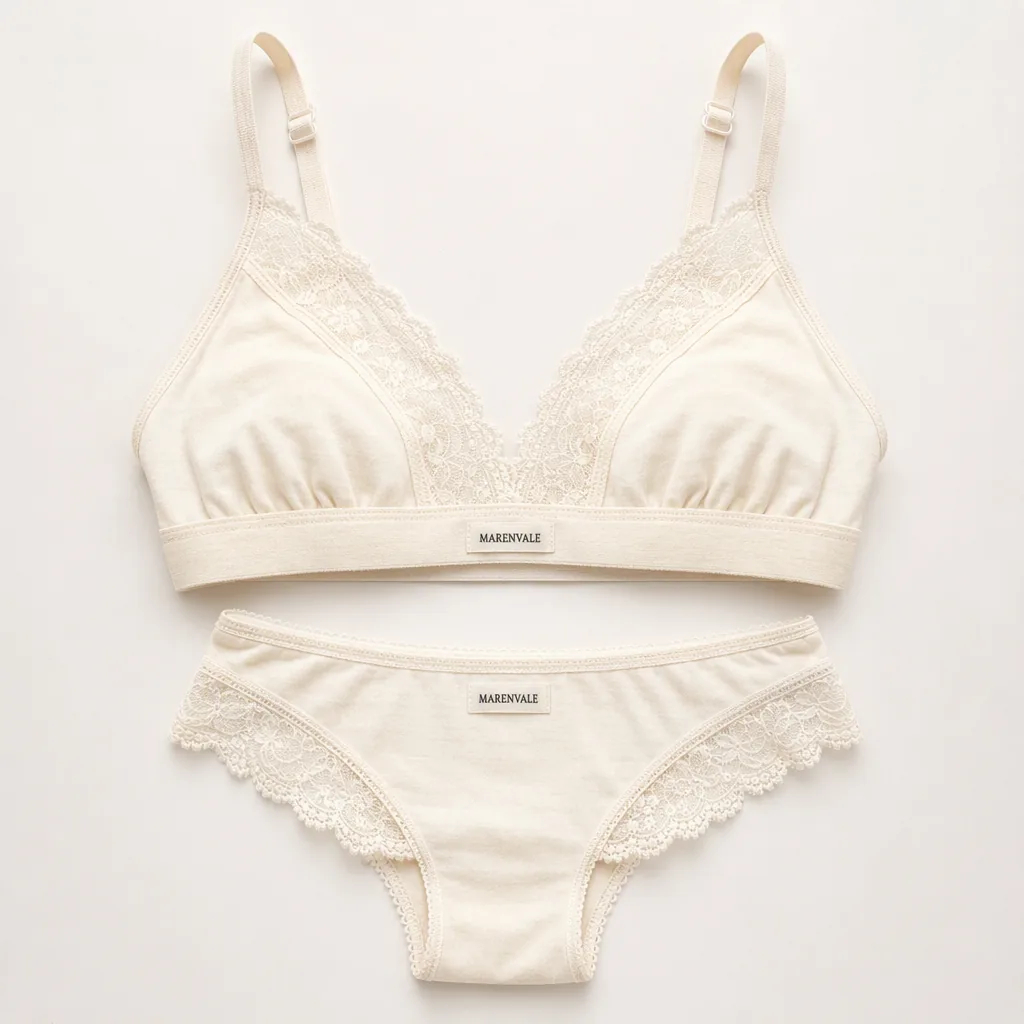
Three briefs that get confused
A lingerie flat lay, a catalog shot of an adult model wearing the set, and an explicit image are three different requests, and image models treat them very differently. The flat lay is a product photo with no person in it. The catalog shot is fashion photography: a neutral pose in which the garment is the subject. The explicit image is outside Blurbly’s content policy entirely, along with nudity, undressing and sexualised poses, whatever the product is.
If a catalog request gets refused, look first at how the brief reads. Write it unmistakably as a product listing: the garment, the fabric, the fit, the catalog setting, the background. Mood words such as “sensual” or “seductive” push the same request toward the line and add nothing a shopper uses to decide whether the cup shape or the leg cut suits them.
For a worn presentation, ask for a catalog-style shot on an adult model, or use reference photos of adults you have permission to use. Don’t upload images of real people without their documented consent, and don’t try to make an image look like a particular real person.
See the scene, hear the result
Visual references and model outputs come from earlier first-party runs. The writing examples below are not transcripts or guaranteed reproductions of these files.
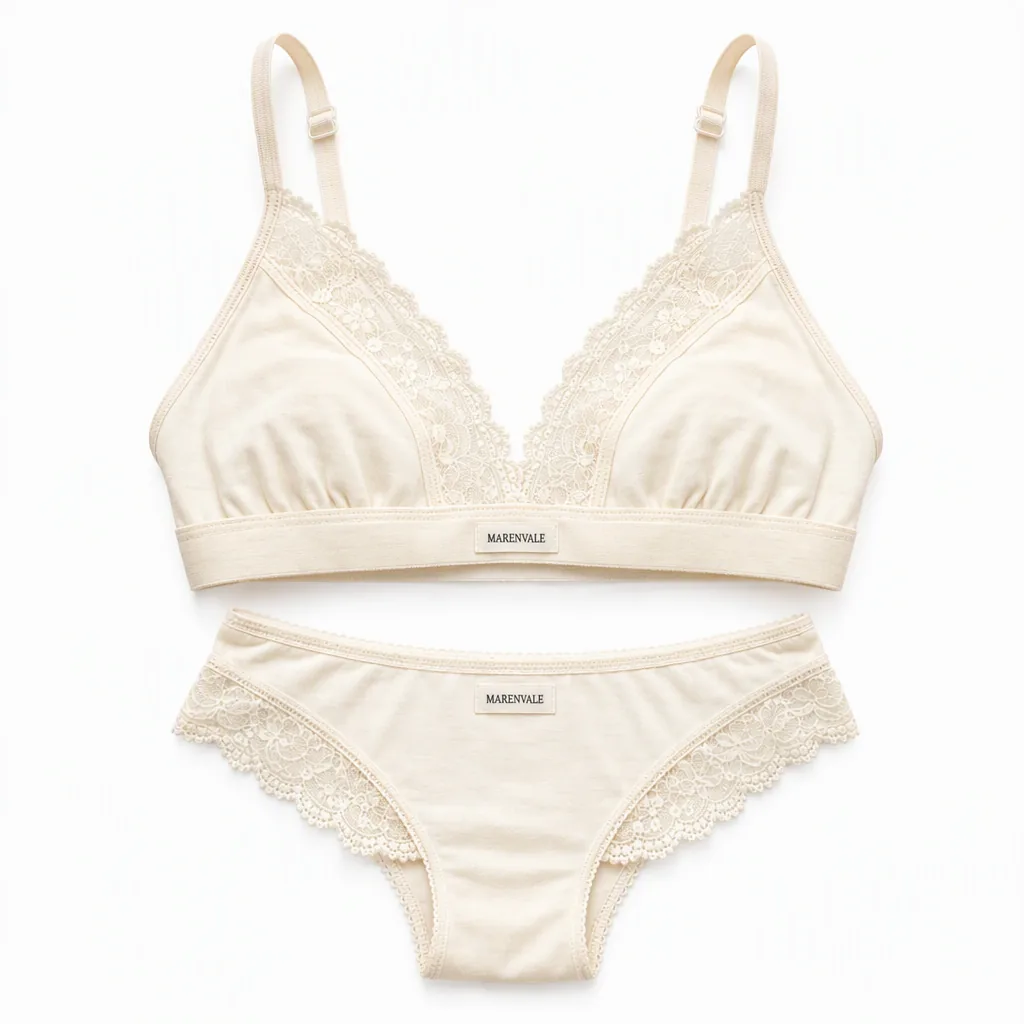
White-background catalog view: check straps and seams
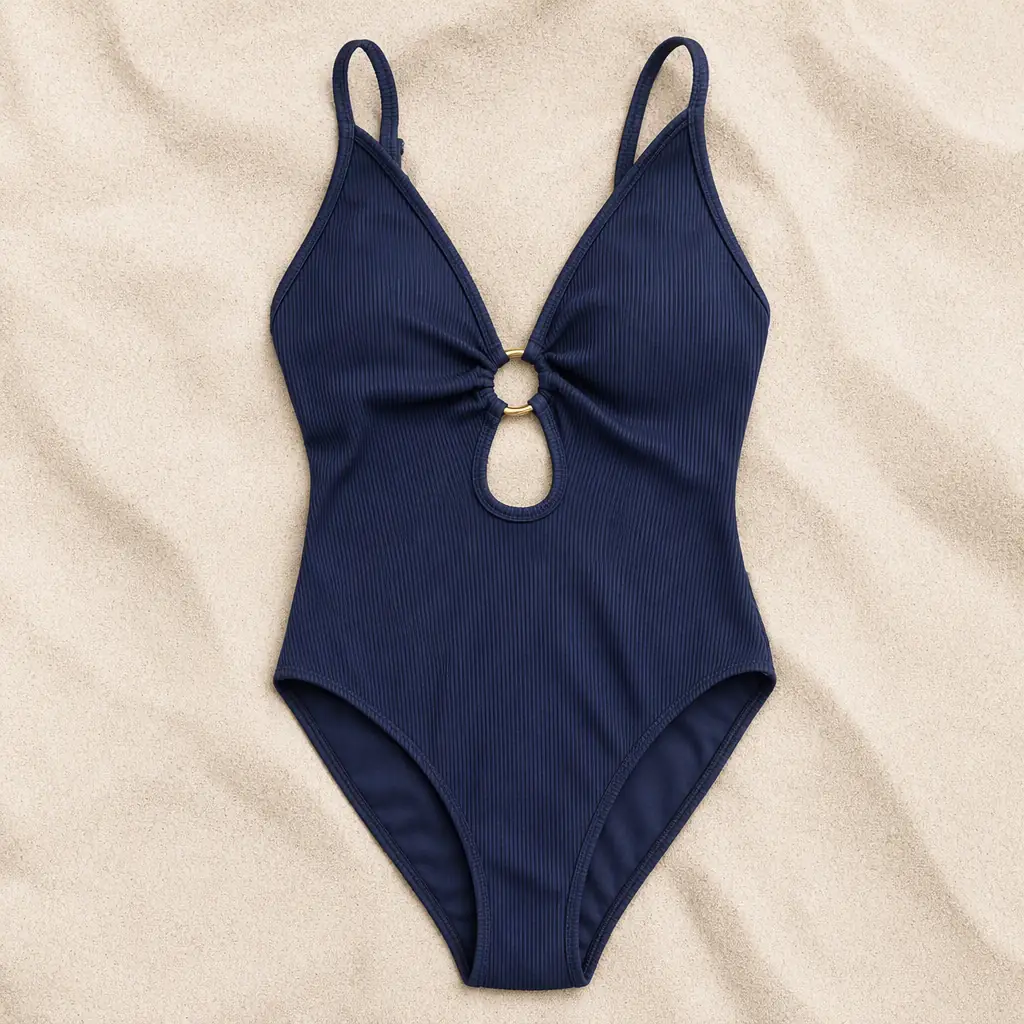
Swimwear product-only scene: preserve shape and colour
Visual reference: a product-only motion clip, not a guarantee of model acceptance
Reading the Marenvale and Saltmoor references
The images on this page come from separate illustrative runs for two fictional brands: a Marenvale lingerie flat lay, a white-background catalog view of the set, a Saltmoor swimsuit shown with no model, and a short product-only motion clip. They aren’t a before-and-after of one input, so don’t judge them as a transformation. Judge them the way you’d judge your own set, for consistency between views.
Look at the straps first: how many there are, where they attach, and whether they stay continuous where they pass behind something. Then check the lace or rib texture, then the colour across the different backgrounds. Those are the details shoppers zoom in on, and they’re also the details an image model may redraw. Get in the habit of checking them in that order on every image you generate, because a wrong strap is easy to miss once the lighting looks good.
Give the motion clip a separate look. Movement is where garment details can slip: a strap can merge into a shoulder line for a few frames, or a lace pattern can crawl. Step through it slowly instead of watching at full speed, and apply the same frame-by-frame check to any product video you make from your own images.
What Blurbly’s own test found about on-model shots
In Blurbly’s October 2026 lingerie test of three products and six images, the first-choice image model produced four of the six. The two it declined were both on-model lifestyle shots; Blurbly retried them automatically with a second model, which made both. The swimwear test of the same size went five of six on the first model, and the one decline was again an on-model lifestyle shot, made on the automatic retry.
Flat-lay and white-background images didn’t run into that problem in either test. So plan for it: on-model shots can take a second attempt and longer to arrive, and results vary between runs. A sample this small isn’t an acceptance rate, and it says nothing certain about how a different garment or a more styled scene will go.
If an on-model request keeps getting declined, read the reason rather than escalating the wording. A more neutral pose, a plainer catalog setting and a description that is more about the garment are legitimate adjustments. Trying to slip a sexualised request past the filter is not, and Blurbly’s content policy treats that kind of evasion as a violation that can cost you the account.
Describe the garment like a spec sheet
The swimwear test turned up a lesson that applies to every garment: describe it exactly. A one-piece swimsuit that was described as a bikini top came back as a bikini top, which means the words won over the photo. Write the product type, the cut, the number and position of straps, the closure, the fabric and the colour, as if you were filling in the attribute fields of a listing.
Say you sell a black cotton bralette with adjustable straps and a scalloped lace trim. A brief that holds up reads something like: black cotton bralette, two adjustable straps attached at the front, scalloped lace trim along the lower band, unlined, laid flat on a pale linen background, soft daylight, no person. Every phrase in it is something you can check in the result.
Fine lace and embroidery are the other weak spot. Blurbly’s lingerie notes warn that they can be redrawn rather than copied, so a floral lace may come back as a similar but different floral. Put the original photo next to every result and compare the pattern at full size. On lingerie the pattern is often the reason someone buys, so if it has drifted, regenerate or use the real photo for the detail shot.
For swimwear, check the neckline, the cut at the leg and the colour under the scene’s light; a navy can slide toward black in a moody pool scene. Start from a clear, evenly lit photo of the real garment. The prompt can only describe what the photo shows, and a dim or creased source gives the model gaps to fill.
Build the listing set first, then review the ad separately
Order the work by what the shop needs: a white-background main image, a back view, a construction close-up and one restrained lifestyle or catalog shot. Put the most accurate view first, since it’s the one that sets expectations. Check the relevant marketplace image guide for its own rules, and keep labels and product descriptions consistent with the physical item.
An image that works on your product page can still be the wrong image for a paid ad. Meta’s health and wellness policy, as summarised on Blurbly’s lingerie and swimwear pages, exempts lingerie and swimwear from the age restriction that applies to sexual wellness products, but the ad still has to meet Meta’s Adult Nudity policy. That policy is applied to the final ad. The image model doesn’t decide it, and neither does Blurbly.
Catalog-style, neutral poses and full-length framing are the least risky material to bring to that review. Stronger copy, moodier styling and a no-filter keyword don’t change the outcome, and nothing on this page promises approval. Accurate product images in a plain catalog style are what the shopper and the reviewer both need to see.
Keep a simple log as you go: the source photo, the prompt, the model that made each image and anything you corrected by hand. When a marketplace queries an image, or a customer says the colour looked different online, that log is how you answer quickly and honestly.
Prompt and script examples
Product-only reference edit: preserve the exact navy swimsuit, neckline, straps and seams. Lay the garment flat on a clean studio background. No person, no added accessories.
Detail image: close view of the lace pattern and stitched edge of the reference garment, soft neutral light, preserve the original construction and colour.