

Restaurants, cafés, salons and repair shops
A 30-day local business video marketing plan you can run from your phone
Most owners know they should be posting video and stall on the same two problems: no time to film, and no idea what to post on a Tuesday. Local business video marketing gets easier once each week has a theme and every clip has one job, such as getting someone to book, call, order or walk in. This plan covers 30 days for a restaurant, café, salon or repair shop, filmed on the phone you already carry, with one AI-assisted promo a week made from a real photo.
Make this week’s promo from a real photo of your dish, chair or shop. You see the plan and the price before anything is generated.
It is built for one person posting between customers: three short phone clips a week, one promo, and a few WhatsApp statuses if your customers already message you there. Inside you will find restaurant TikTok ideas, salon Instagram Reels ideas and small business video ideas for repair shops, the rules for what has to stay real, and a way to tell whether any of it is bringing people through the door.
Blurbly editorial · · 8 min read
Before day one: accounts, music and a clip folder
Spend one evening on setup so the month itself is only filming and posting. On TikTok, switch the shop’s account to a Business Account. TikTok says businesses can’t use its general music library for commercial use and should use the Commercial Music Library, a pre-cleared catalogue of around a million songs; on a Business Account, Add Sound shows only those commercial sounds. So a song you heard on someone’s personal video may not be there for the shop’s account. That matters less than it sounds, because your own voice explaining the dish or the cut is usually the better soundtrack.
On Instagram, connect the account to your Facebook Page. Instagram lets you share a reel to Facebook while you create it, or turn on sharing for all future reels, from the Android or iPhone app (the option isn’t available to every account yet), so one upload can cover both. Reels can be uploaded at any aspect ratio from 1.91:1 to 9:16, at a minimum of 720 px and 30 frames per second, so filming vertical on any recent phone is enough. Instagram allows reels of up to 20 minutes but says reels over 3 minutes won’t be recommended to new audiences, which settles the length question: keep almost everything under a minute.
If your customers message you on WhatsApp, its Status works like a noticeboard in their pocket. Statuses disappear after 24 hours, go to all your contacts by default, and videos can be up to 90 seconds. Last, make one album on your phone called “To post” and drop every usable clip into it the moment you film it. On a busy day you will post from the album instead of starting from nothing. Here is the whole month at a glance.
- Week one: three clips of the place and the team, plus a logo reveal
- Week two: three best-seller clips, plus a promo made from your best photo
- Week three: one dated offer on Reels, TikTok, WhatsApp and your Business Profile
- Week four: three answers to real questions, a customer clip with consent and a recap
- Day 30: count mentions, bookings and direction requests, then plan the next month
Week one: the place and the people who run it
The first week answers what a stranger wants to know before visiting: what the place looks like, who will serve them, and whether it is their kind of spot. Post three phone clips of 10 to 20 seconds and one promo.
A restaurant films the morning: shutters up, the first tray out of the oven, the room filling at noon. A café films the first pour of the day and the pastry case being stocked. A salon films the stations being set up and the owner saying, in one sentence, what the shop is known for. A repair shop films the bay or bench, the tool wall, and the first job of the day coming in. None of it needs more editing than a trim.
For the promo slot, start with something you will reuse all month: a short logo reveal for the start or end of your clips. The logo animation maker works from a clean logo file or from a phone photo of the sign over your door, and two or three seconds of it at the end of each clip makes a new account recognisable.
Week two: best sellers, filmed the way you serve them
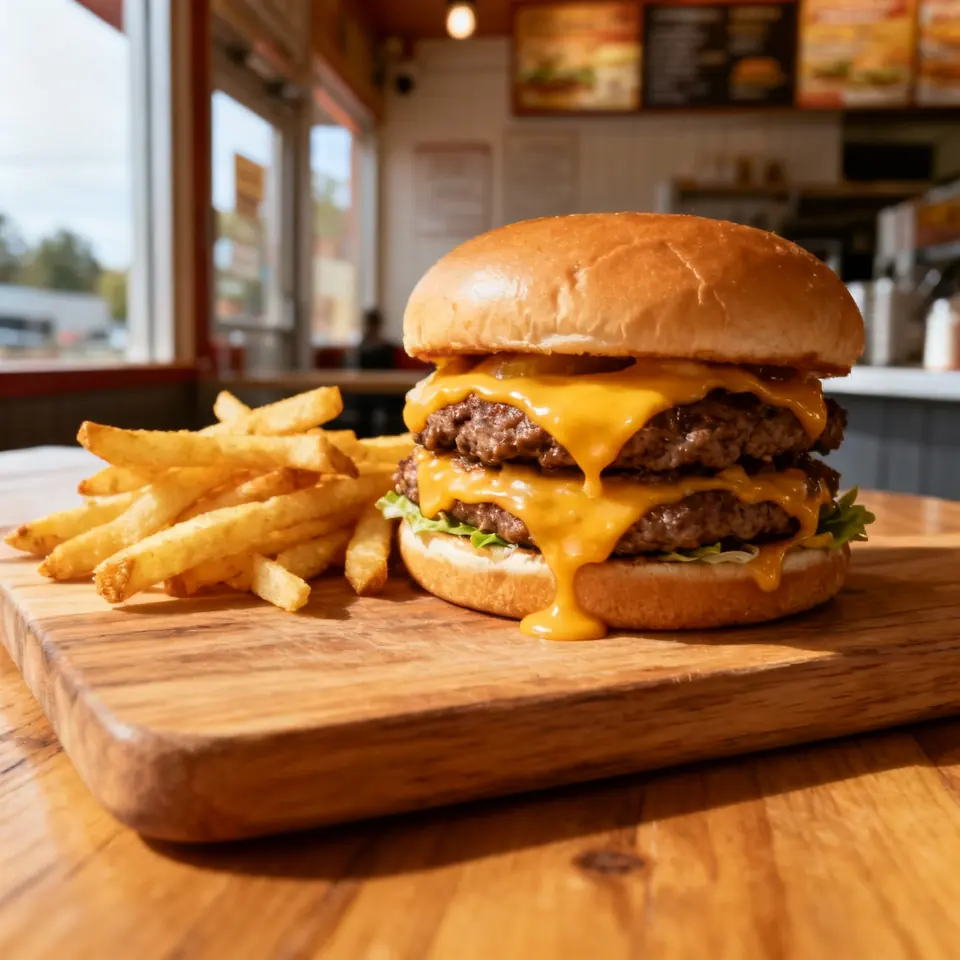
Week two is about the thing people actually buy. Restaurant TikTok ideas that suit a small kitchen: your signature dish built from first ingredient to the pass, one close shot of the cheese pull or the sauce going on, and a clip showing exactly what the lunch special looks like next to its real price. A café can film one drink made from empty cup to lid, or a pastry cut so the layers show.
Salon Instagram Reels ideas that work without a big following: a fade from first pass to mirror check, sped up to 15 seconds; a gel set going from bare nails to finished under the lamp; a slow pan across your price list while you name the most booked service. A repair shop can show a common fix in 30 seconds, a cracked screen swapped or worn brake pads replaced, with the before and the after both filmed on the bench.
This week’s promo starts from a real photo of your best seller. On Blurbly you upload the dish, drink or chair photo, write the offer in the exact words customers should read, and see the shot plan and the price before anything is generated. In our restaurant promo tutorial, the plan copied the offer wording onto the closing card, so type the price the way it should appear on screen. The restaurant and café and bakery pages show example clips, each made from a single photo.
Week three: one offer, posted everywhere it fits
Pick one offer with an end date: a weekday lunch combo, a new-client price for Tuesday cuts, a free screen protector with every repair until Sunday. Vague lines like “great deals all month” give nobody a reason to come in now.
Post it in four places with the same wording. A Reel and a TikTok with the offer on the last frame. A WhatsApp status to the regulars who have your number, on the morning it starts and again on the last day. An Offer post on your Google Business Profile, which needs a title and dates, with a real photo of the dish or the shop; Google wants profile media to show reality, so the generated promo stays on social. Then ask customers to mention a code word at the counter. It costs nothing and tells you which channel sent them.
If a holiday or local event falls inside the month, make it the week-three offer. Seasonal clips have to be ready before the rush, so photograph the gift box, holiday menu or party tray a couple of weeks early. The holiday promo video maker plans a festive clip around one photo with your offer on the final frame. Put real dates on everything: the last order day, holiday hours, the day the special ends.
Week four: answer questions and show real customers
By week four you will have seen the same questions come up in comments and messages. Answer each in a 20-second clip: where to park, how long a colour appointment takes, whether the kitchen does gluten-free, what a screen repair costs for the phones you fix most. These are the clips people forward to the friend who asked, and of all the small business video ideas in this plan they are the easiest to keep making, because customers hand you the topics.
This is also the week for customers, with permission. A regular who agrees to say one line about their usual order, a client happy to show off a new cut, a driver collecting their freshly detailed car. Ask before you film, tell them where it will be posted, and take it down if they change their mind. Never stage a fake customer or dress up a generated person as a testimonial.
Close the month with one recap clip of the best moments, then check the results (see the last section) before planning the next 30 days. Keep the formats that brought people in and replace the rest with something new from the lists above.
What has to stay real, and where AI-assisted promos fit
Anything a customer will hold you to has to be real. That covers the dishes and their portions, the prices, the room, your team, and every piece of work in your portfolio. A generated burger that stands taller than the one you serve, or a generated skin fade passed off as your work, sets an expectation you then fail to meet once the customer is standing at your counter.
AI-assisted promos fit the jobs where nobody mistakes the clip for a record: an offer announcement, a holiday greeting, a logo reveal, an atmosphere clip that starts from a real photo of your shop. Keep them clearly promotional, never caption one as a customer’s review, and leave them off your Google Business Profile photos (our Business Profile photo guide explains why). TikTok also requires creators to label AI-generated or significantly edited content that shows realistic-looking scenes or people, so label a generated promo when you post it there.
Three real clips to one promo is a ratio most shops can keep up. The real clips build trust in the food, the cut or the repair; the promo carries the offer in a polished form you couldn’t film between customers.
How to tell it is working without fancy analytics
You need three things you can count in a notebook: how many people mentioned a video or the code word, how many bookings or orders arrived by message, and how many new faces you noticed compared with a normal week. Keep a tally sheet by the till and ask every new customer one question: how did you hear about us?
The apps add a few free signals. For a public account, Instagram shows views, watch time, average watch time and follows for each reel. WhatsApp lists which contacts viewed each status, a fair read on how many regulars saw the offer, though anyone with read receipts turned off won’t appear. Your Google Business Profile Performance report counts calls, direction requests and website clicks, so a rise in direction requests during offer week is worth writing down.
Read average watch time against the length of the clip. If people leave a 20-second clip after three seconds, the opening isn’t working, so lead with the food, the finished cut or the price next time. Ignore likes from people who live three countries away. A clip with a few hundred local views that brings in two bookings has done more for the business than one with thousands of views and nobody at the door.